SharePoint 2010: Clicking the icon in Type column is highlighting the item instead of launching the document

As the title stats, with SP 2010 a click on the the icon of a listview Webpart does not open the document. This was the default behavior in the previous SharePoint version. Microsoft has realized this, and posted a knowledgebase article to get back the expected click behavior.

http://support.microsoft.com/kb/2457975/en-us?sd=rss&spid=14944

The article shows you how to create a new XSLT file, which adds a link tag around the img tag of the icon.
Check, if you are within a modal dialog

By now, you probably know that the modal framework from SharePoint 2010 is a great thing 🙂

In case you need to find out if the context is within a modal dialog, you can query for the URL parameter “IsDlg”.

if (Page.Request["IsDlg"] != null)
{
   // within a modal dialog
}
else
{
   // not within a modal dialog
}

Empty Admin Recycle Bin items

What is it?

Usually the size of the recycle bin is not relevant. But on development machines, you don’t want lots of files in there, which make your databases grow without actually used data.

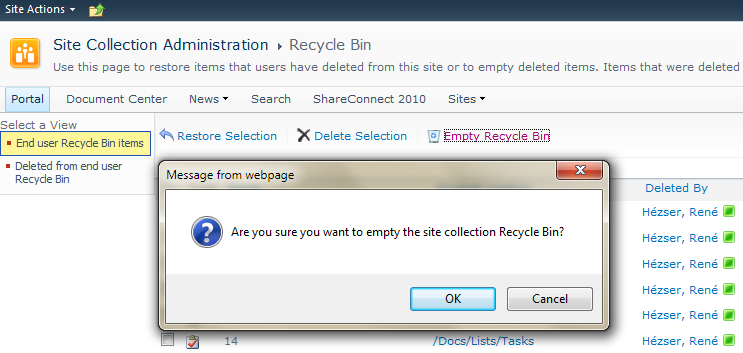
What do you do? Go to the recycle bin, click on “Site Collection Recycle Bin”. The two stages of the recycle bin can be managed independently.

image

The two views on the left let you switch between the first- and second stage. All items from the first stage can be moved to the second stage with one click (+ 1 confirmation). But if the items are in the second stage, you can only delete 200 items at a time by selecting all and delete them in batches. An option to delete all items is missing (in the GUI).

PortalSiteMapProvider.GetCachedListItemsByQuery

With MOSS 2007 or SharePoint Server 2010 you can use the PoraltSiteMapProvider of the Microsoft.SharePoint.Publishing.dll assembly to retrieve cached listitems.

<span style="color:#606060" id=lnum1>   1:</span> PortalSiteMapProvider ps = PortalSiteMapProvider.WebSiteMapProvider;
<span style="color:#606060" id=lnum2>   2:</span> var pNode = ps.FindSiteMapNode(web.ServerRelativeUrl) as PortalWebSiteMapNode;
<span style="color:#606060" id=lnum3>   3:</span> var query = new SPQuery
<span style="color:#606060" id=lnum4>   4:</span>                {
<span style="color:#606060" id=lnum5>   5:</span>                   Query = "<Where><Neq><FieldRef Name='ID' /><Value Type='Counter'>0</Value></Neq></Where>"
<span style="color:#606060" id=lnum6>   6:</span>                };
<span style="color:#606060" id=lnum7>   7:</span> SiteMapNodeCollection quoteItems = ps.GetCachedListItemsByQuery(pNode, "Top Seiten", query, web);

In my case, I didn’t need any special where clause. I wanted to retrieve all items, so I left the Query property  empty. And because I needed only three columns, I specified the ViewFields property of the SPQuery object.

Reporting Services Exception

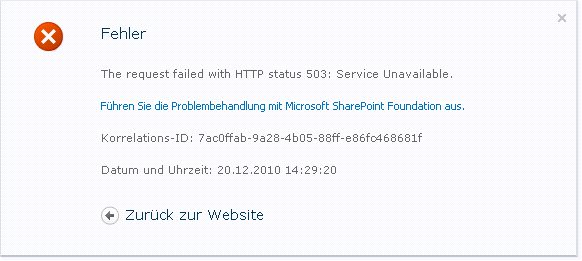
If your Report Server 2008 instance is configured as SharePoint integrated and you get an exception like this one, keep on reading.

image

Additionally to the exception in the browser, the Eventlog revealed two more exception which are relevant to the SSRS exception. One was about the SSRS process, which quit unexpected, the other one from ASP.NET.

  1. “The SQL Server Reporting Services (MSSQLSERVER) service terminated unexpectedly.  It has done this 6 time(s).  The following corrective action will be taken in 60000 milliseconds: Restart the service.” Event ID 7031
  2. “.NET Runtime version 2.0.50727.4952 – Fatal Execution Engine Error (000007FEF523FA42) (80131506)”, Event ID 1023

My solution was to log on once to the SharePoint server as the account, which is used by the Reporting Services (remember: we’ve configured SSRS in SharePoint integrated mode).

SharePoint Workspace cannot take a BCS list offline

Today I installed a BCS solution to a SharePoint 2010 farm. I wanted to take the list offline. So I clicked on the SPW button in the ribbon.

image

As expected, SharePoint Workspace popped open, and tried to get the list. But all I got was an message, that there was an error installing the list.

The eventlog, of the client I was working on, revealed that there was an error installing the solution (And we need the solution, to get the data on our clients. BCS uses solution which are deployed to clients as click-once applications to sync data.). The error details showed something like “Solution Install Stage:PendingDownload Solution Install Error”,the EventId was 2012 and the Datasource “Business Connectivity Services”. Not really a helpful message.

Es ist vollbracht!

Ein großes Projekt ist abgeschlossen!

image

Zusammen mit Fabian Moritz habe ich im letzten Jahr ein Buch geschrieben. Der Title lautet: Praxisbuch SharePoint-Entwicklung. Es wird Mitte Dezember diesen Jahres erscheinen (pünktlich zum Weihnachtsgeschäft :-)) und von Galileo Computing herausgegeben.

Vorbestellungen werden natürlich gerne angenommen!

Kurz zum Inhalt:

  • Einführung in die Technologie SharePoint
  • SharePoint-Entwicklungswerkzeuge (Visual Studio 2010, SharePoint Designer 2010, PowerShell und 3rd Party Tools)
  • SharePoint-Objektmodelle (Server-Objektmodell, Client-Objektmodell und Web Services)
  • Benutzeroberflächen (Master Pages, Ribbon, Custom Actions, Webparts, Silverlight etc.)
  • Programmierkonzepte (CAML, LINQ to SharePoint, REST)
  • Deploymentkonzepte (Features, Solutions, Sandboxed Solutions)
  • Workflow-Programmierung
  • Business Connectivity Services

Viel Spaß beim lesen…

It’s done. I’m a MCPD: SharePoint Developer 2010

Today I’ve passed the two Exams to become a Microsoft Certified Professional Developer for SharePoint 2010 🙂

Maybe I will find some time to continue on my open projects, so you can find new stuff on my blog…

Do NOT install the October 2010 CU for SharePoint Server

It seems, there is a major problem with the Server CU.

Critical Information about a problem with the October 2010 CU for SharePoint Server 2010

SharePoint 2010 October Cumulative Update Issue: Details and Workaround


Packages Impacted

The Cumulative Update packages affected are the Server Packages for SharePoint Foundation, SharePoint Server and Project Server 2010, specifically;

  1. SharePoint Server Package 2394320
  2. Project Server Package 2394322

The downloads for both of these packages have been removed from our servers.  If you have already downloaded them you SHOULD NOT install them.  They will be republished.

SharePoint and “Sign in as a different user”

Today I stumbled across this KB article: “In SharePoint 2007 using Internet Explorer 8 and “Sign in as a different user” displays with old Session data. After 30 seconds the session object is completly refreshed and all data is correct.”

Hmm. Right. I’ve noticed that. At least now I know that this is by design 🙂

Take a look at the suggested workarounds: http://support.microsoft.com/default.aspx?scid=kb;en-us;2435214&sd=rss&spid=11373

Workaround 1: customize init.js file or overload the method of LoginAsAnother() with an addition line of code: document.execCommand(“ClearAuthenticationCache”);

Issues with the User Profile Service in SharePoint 2010

A while ago a customer had problems with his User Profile Service. Since the problems may exist on other SharePoint farms as well, I want to share the solutions I found.

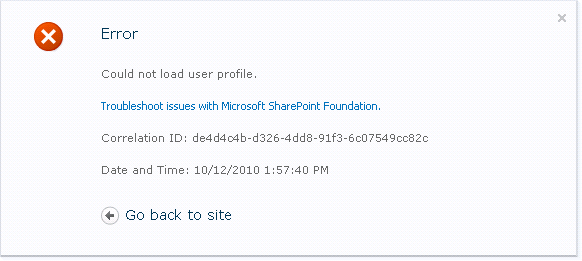
  1. “Could not load user profile.”
    This exception occurs, if you click on a MySite link.
    CouldNotLoadUserProfile
    To get rid of the problem, I had to associate the User Profile Service Application to the Webapplication, where the MySite-Host is running.
  2. The User Profile Import does not run
    Trying to import user profiles from the Active Directory, I clicked on the link “Start Profile Synchronization” in the User Profile Service Application settings pages. Nothing happened. Hmm. The SharePoint logs showed an exception after I clicked on the link:
    _
    UserProfileApplication.GetStageStatus: Unexpected exception: System.Management.ManagementException: Generic failure 
    _
    The eventlog had a new entry, too:
    _Log Name:      Application
    Source:        Microsoft-SharePoint Products-SharePoint Foundation
    Date:          22.10.2010 09:28:56
    Event ID:      6398
    Task Category: Timer
    Level:         Critical
    Keywords:     
    User:          domain\user
    Computer:      server.domain.tld
    Description:
    The Execute method of job definition Microsoft.Office.Server.UserProfiles.UserProfileImportJob (ID 476df0f2-0f5d-34ce-afbe-9fe6fd1584e3) threw an exception. More information is included below. Generic failure
    _
    To get rid of this exception, I had to grant read permissions to the “Network Service” and “System” accounts to this folder: C:\Program Files\Microsoft Office Servers\14.0
  3. Granting permission from the previous step, also solved this problem in the eventlog: UserProfileApplication.SynchronizeMIIS: Failed to configure MOSS initial MAs, will attempt during next rerun. Exception: System.Management.ManagementException: Generic failure

SharePoint 2010 Upgrade and Update Information

Every time I want to check for the latest updates for SharePoint, I search for a page where to find them. This post will help me – and you – to find this information quicker 🙂

The page has links to the latest Cumulative Updates for SharePoint Foundation and Server: http://technet.microsoft.com/en-us/sharepoint/ff800847.aspx

The title of this post says Upgrade as well. If you are not looking for update information but upgrade infos, you’ll find them on the page as well.

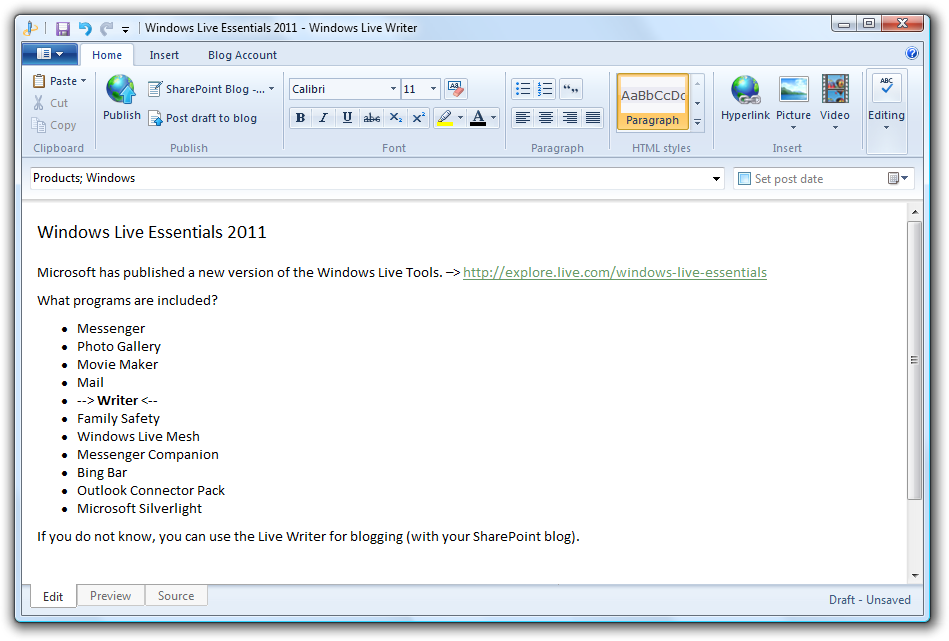
Windows Live Essentials 2011

Microsoft has published a new version of the Windows Live Tools. –> http://explore.live.com/windows-live-essentials

What programs are included?

  • Messenger
  • Photo Gallery
  • Movie Maker
  • Mail
  • –> Writer <–
  • Family Safety
  • Windows Live Mesh
  • Messenger Companion
  • Bing Bar
  • Outlook Connector Pack
  • Microsoft Silverlight

If you do not know, you can use the Live Writer for blogging (with your SharePoint blog).

lw

Microsoft Security Bulletin MS10-070 – Important

An important update has been released from Microsoft. It addresses an issue with ASP.NET. You should install the update ASAP.

This security update resolves a publicly disclosed vulnerability in ASP.NET. The vulnerability could allow information disclosure. An attacker who successfully exploited this vulnerability could read data, such as the view state, which was encrypted by the server. This vulnerability can also be used for data tampering, which, if successfully exploited, could be used to decrypt and tamper with the data encrypted by the server. Microsoft .NET Framework versions prior to Microsoft .NET Framework 3.5 Service Pack 1 are not affected by the file content disclosure portion of this vulnerability.