
User Profile Service

Cannot delete User Profile Property in SharePoint 2013

If you run into the problem that you can’t delete properties within the User Profile Service Application, an Exception like this will be shown:
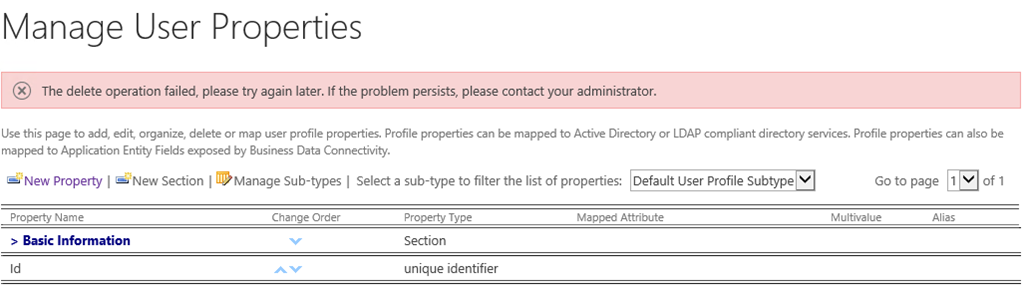
The delete operation failed, please try again later. If the problem persists, please contact your administrator.

To resolve the problem, grant “Full Control” permissions to the administrative Applicationpools group (WSS_WPG).
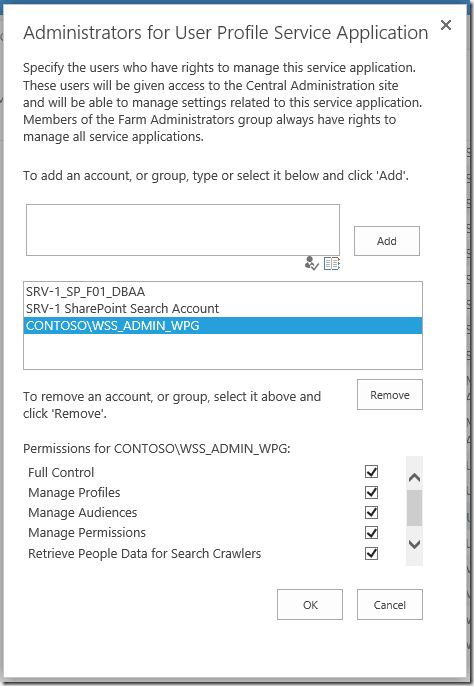
image

Now you should be able to delete properties again.
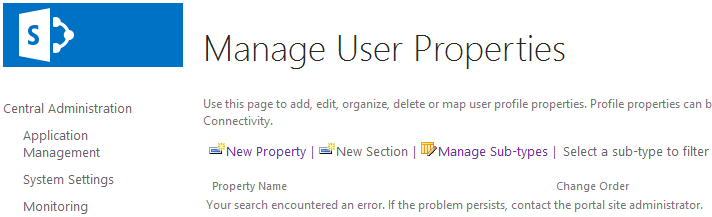
UserProfile Service, Managed Properties are not available

“Your search encountered an error. If the problem persists, contact the portal site administrator.” Great. That would be me 🙂

I wanted to manage some properties within the User Profile Service Application. But an error message kept me from doing so.

image

A quick look for the running SharePoint services from the Central Administration looked ok. The UPS services is up and running. Then it hit me. Even if SharePoint tells you everything is OK, it might not be the case. And I was right. The FIM services were not started. So After restarting the “Forefront Identity Manager Service”, I could look into the properties again.