
Update to SharePointMasterpage Tool
I’ve updated my tool to set the masterpage on SharePoint webs and subwebs to the same masterpage.
I’ve updated my tool to set the masterpage on SharePoint webs and subwebs to the same masterpage.
With MOSS 2007 or SharePoint Server 2010 you can use the PoraltSiteMapProvider of the Microsoft.SharePoint.Publishing.dll assembly to retrieve cached listitems.
<span style="color:#606060" id=lnum1> 1:</span> PortalSiteMapProvider ps = PortalSiteMapProvider.WebSiteMapProvider;
<span style="color:#606060" id=lnum2> 2:</span> var pNode = ps.FindSiteMapNode(web.ServerRelativeUrl) as PortalWebSiteMapNode;
<span style="color:#606060" id=lnum3> 3:</span> var query = new SPQuery
<span style="color:#606060" id=lnum4> 4:</span> {
<span style="color:#606060" id=lnum5> 5:</span> Query = "<Where><Neq><FieldRef Name='ID' /><Value Type='Counter'>0</Value></Neq></Where>"
<span style="color:#606060" id=lnum6> 6:</span> };
<span style="color:#606060" id=lnum7> 7:</span> SiteMapNodeCollection quoteItems = ps.GetCachedListItemsByQuery(pNode, "Top Seiten", query, web);In my case, I didn’t need any special where clause. I wanted to retrieve all items, so I left the Query property empty. And because I needed only three columns, I specified the ViewFields property of the SPQuery object.
If your Report Server 2008 instance is configured as SharePoint integrated and you get an exception like this one, keep on reading.
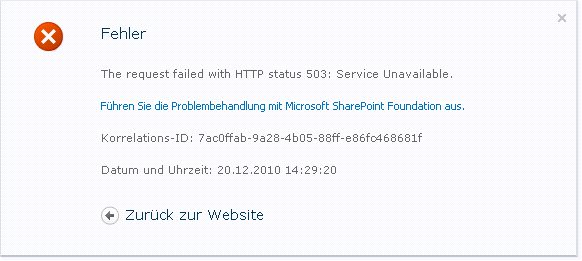
Additionally to the exception in the browser, the Eventlog revealed two more exception which are relevant to the SSRS exception. One was about the SSRS process, which quit unexpected, the other one from ASP.NET.
My solution was to log on once to the SharePoint server as the account, which is used by the Reporting Services (remember: we’ve configured SSRS in SharePoint integrated mode).
Today I installed a BCS solution to a SharePoint 2010 farm. I wanted to take the list offline. So I clicked on the SPW button in the ribbon.

As expected, SharePoint Workspace popped open, and tried to get the list. But all I got was an message, that there was an error installing the list.
The eventlog, of the client I was working on, revealed that there was an error installing the solution (And we need the solution, to get the data on our clients. BCS uses solution which are deployed to clients as click-once applications to sync data.). The error details showed something like “Solution Install Stage:PendingDownload Solution Install Error”,the EventId was 2012 and the Datasource “Business Connectivity Services”. Not really a helpful message.
It seems, there is a major problem with the Server CU.
SharePoint 2010 October Cumulative Update Issue: Details and Workaround
The Cumulative Update packages affected are the Server Packages for SharePoint Foundation, SharePoint Server and Project Server 2010, specifically;
The downloads for both of these packages have been removed from our servers. If you have already downloaded them you SHOULD NOT install them. They will be republished.
Today I stumbled across this KB article: “In SharePoint 2007 using Internet Explorer 8 and “Sign in as a different user” displays with old Session data. After 30 seconds the session object is completly refreshed and all data is correct.”
Hmm. Right. I’ve noticed that. At least now I know that this is by design 🙂
Take a look at the suggested workarounds: http://support.microsoft.com/default.aspx?scid=kb;en-us;2435214&sd=rss&spid=11373
Workaround 1: customize init.js file or overload the method of LoginAsAnother() with an addition line of code: document.execCommand(“ClearAuthenticationCache”);
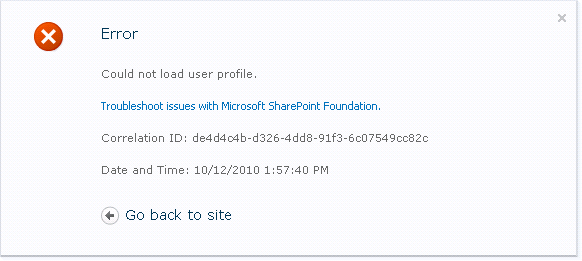
A while ago a customer had problems with his User Profile Service. Since the problems may exist on other SharePoint farms as well, I want to share the solutions I found.
Every time I want to check for the latest updates for SharePoint, I search for a page where to find them. This post will help me – and you – to find this information quicker 🙂
The page has links to the latest Cumulative Updates for SharePoint Foundation and Server: http://technet.microsoft.com/en-us/sharepoint/ff800847.aspx
The title of this post says Upgrade as well. If you are not looking for update information but upgrade infos, you’ll find them on the page as well.
An important update has been released from Microsoft. It addresses an issue with ASP.NET. You should install the update ASAP.
This security update resolves a publicly disclosed vulnerability in ASP.NET. The vulnerability could allow information disclosure. An attacker who successfully exploited this vulnerability could read data, such as the view state, which was encrypted by the server. This vulnerability can also be used for data tampering, which, if successfully exploited, could be used to decrypt and tamper with the data encrypted by the server. Microsoft .NET Framework versions prior to Microsoft .NET Framework 3.5 Service Pack 1 are not affected by the file content disclosure portion of this vulnerability.
The link: SharePoint 2010 Reference: Software Development Kit
MS has released a new version of the SharePoint 2010 SDK. It contains new code samples, updated IntelliSense XML files, and updated documentation based on customer feedback.
What’s New in the SDK for SharePoint Foundation 2010
What’s New in the SDK for SharePoint Server 2010
A full list of code samples can be found on MSDN Code Gallery.
In the future, MS will release new versions every quarter. That’s good news 🙂
Did i mention the SharePoint Search is great? Indexing your fileservers, websites and public folder (see here how to index Exchange 2010 public folders: http://technet.microsoft.com/en-us/library/ee806927.aspx) is easy to configure.
You should look at the logs, though. Warning can give you a good hint where to look to solve indexing problems.

I looked at the document, which could not be indexed. My Visio 2010 opened the document without complaining. The File Tab shows some information from the document.
Every SharePoint group has a setting to prevent users, who are not members of the group, to see who actually is a member. This setting works great when you use a browser to access the group. The setting can be configured on the property page of every SharePoint group.

As you can see, you’ll get a message telling you that you may not see the members of that particular group.
Like many other blogs running SharePoint, my blog uses the EBE to add more functionality to the default SharePoint blog.
And since I am one of the developers of the EBE 3.0, I’m glad that we announce the release of the next release. Version 3 brings along many new features and improvements of already implemented features.
New Features
*Ability to theme wiki pages
*Ability to export post to PDF
*Localization (French, Spanish)
*Technorati Links from post categories
*Ability to bookmark post with Twitter
*Centralized Theming – Ability to create a theme library at the root and allow sub blog sites to use the common theme library.
*The ability to add an XML feed control
*Logging of pingbacks and trackback errors to SharePoint Logs directory
*Support of feature stapling
*Preliminary SharePoint 2010 Beta 3 compatible (with web.config edits)
*EBE caching and performance validation
*Performance increases for page loads less than <3 sec
Note: Some features are specific to certain themes
SharePoint 2013:
If you want to install the prerequisites for SharePoint 2013, see here: Installing SharePoint 2013 Prerequisites Without an Internet Connection
SharePoint 2010:
Don’t leave if you read “Powershell” and think “Oh my. Why does it take Powershell to do this?”. Powershell is easy to use and a great tool for this task.
This post is about installing all required components that are needed for a SharePoint 2010 installation (Hardware and software requirements (SharePoint Server 2010)).
Did you know that the latest SSRS have a build-in support for SharePoint lists as DataSource?
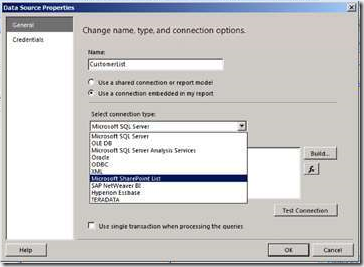
So if you need arguments to update to SQL 2008 R2, this is one 🙂